
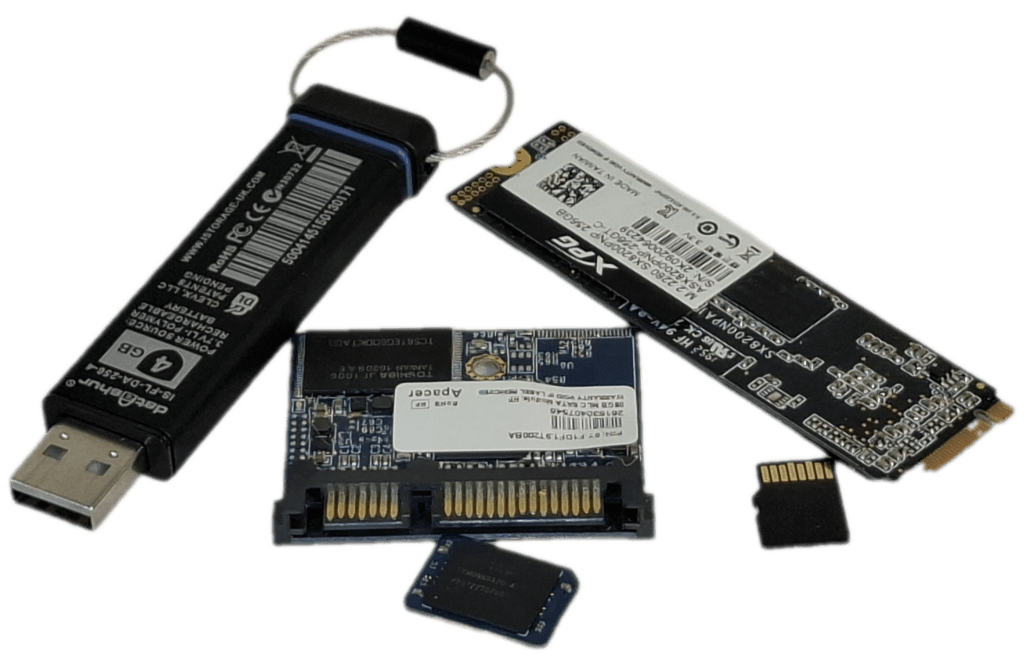
To choose the right server disk storage for your smart home, you must balance speed, durability, and portability. Below is a detailed breakdown of how SSDs, USB storage, SD cards, and MMC compare to help you decide.
SSD: The Performance Workhorse
Manufacturers design SATA and NVMe SSDs (Solid State Drives) for internal PC use or high-speed external enclosures. Consequently, they offer the best performance in this group, with read/write speeds topping out between 560 MB/s and 5000 MB/s.
- Best for: Running operating systems, gaming, and heavy video editing.
- Pros: High reliability, large capacities (up to 8TB+), and superior data management.
USB Storage: The Universal Connector
Meanwhile, USB flash drives remain the go-to choice for quick file transfers. While performance varies wildly, high-end USB 3.2 drives can rival entry-level SSDs; however, most consumer sticks perform much more slowly.
- Best for: Carrying documents, OS installers, and “sneakernet” file sharing.
- Pros: Universal plug-and-play compatibility across almost every device.
SD Cards: The Creative’s Companion
In contrast, companies specialise in SD and microSD cards for cameras, drones, and handheld consoles like the Steam Deck or Nintendo Switch. Because engineers optimise them for sequential data—like recording 4K video—they struggle when running complex software.
- Best for: Photography, mobile storage expansion, and dashcams.
- Pros: Ultra-compact design and physical write-protection switches (on full-sized cards).
MMC (eMMC): The Budget Internal Choice
Finally, manufacturers typically solder MultiMediaCard technology (specifically eMMC) onto the motherboards of budget laptops and tablets. In essence, this acts as an SD card integrated directly into a circuit board.
- Best for: Budget-friendly Chromebooks and low-power IoT devices.
- Pros: Lower power consumption and a cheaper price point than SSDs, although they offer significantly slower speeds.
Summary Table
| Feature | SSD | USB Drive | eMMC | SD Card |
|---|---|---|---|---|
| Speed | Excellent | Varies | Low/Moderate | Moderate |
| Durability | High | Moderate | Moderate | Low |
| Write Cycles | 100,000 | 10,000 | 3000 | 3000 |
| Lifespan | 10+ Years | 10 Years | 5+ Years | < 5 Years |
| Portability | Internal | Pocket-sized | Fixed Internal | Tiny |
The Verdict: If you need the speed and reliability servers require, go with a fixed SSD. For transferring files between PCs, a USB drive is king. For cameras, stick to SD cards and only use eMMC if you’re looking for a budget-friendly device.